


Дом с Алисой
4.0126.00 Reviews
App Specs
- Version
- Varies with Device
- Updated On
- License
- Free
- Downloads
- 10,000,000+
- Developer
- Direct Cursus Computer Systems Trading LLC
- Categories
- House & Home
- Platform
- Android, iOS
Screenshots
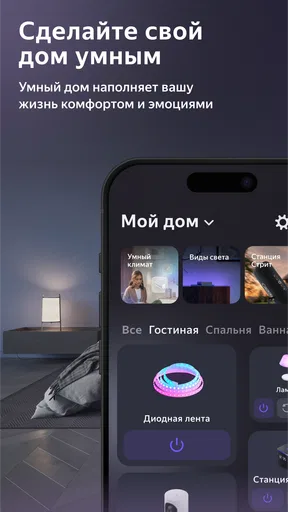
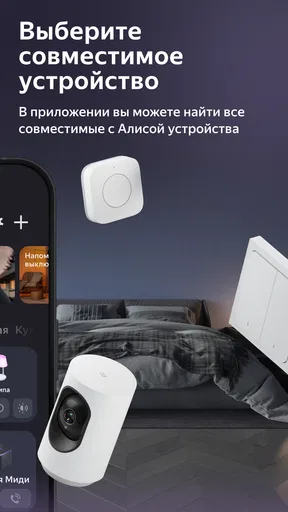
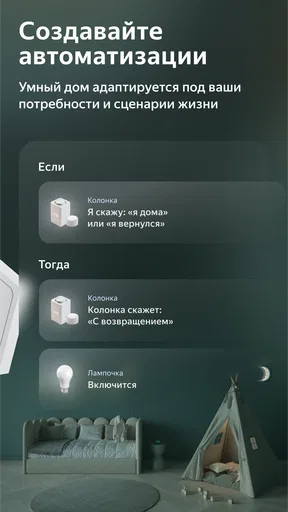
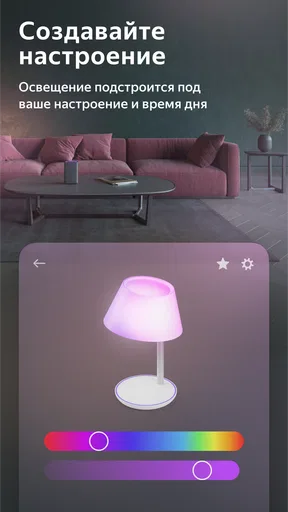

 Analysis by AppCompare
I tend to judge a smart-home app less by how friendly its assistant sounds and more by what it lets me understand and control. Дом с Алисой is aimed at making a connected home easier to manage, but the more useful question is whether it fits the way you actually use your devices—and how comfortable you are handling household routines through an app. I’d treat it as a practical control point, not as a reason to automate everything at once.
Trust starts with knowing what you are setting up
Дом с Алисой is a free House & Home app from Direct Cursus Computer Systems Trading LLC. It is rated for Everyone, has an average rating of 3.8 from around 161,000 ratings, and has been installed over 10 million times. Those figures suggest that it has reached a broad audience, but popularity alone does not tell me whether a particular household will find it dependable or feel comfortable using it.
For a home app, trust is practical. A command might affect lighting or another connected device, and a household may include people who did not set up the system themselves. I would start by checking which devices appear in the app, what account is being used, and what choices are presented during setup. That gives you a clearer picture of the actual arrangement than assuming every smart-home feature works the same way.
The app runs on Android from version 8.0, and the product is also presented for iOS. If you are choosing it for a shared home, check that the phones used by the people who need access can run it and that everyone knows which account or device they are using. A setup that works smoothly for the person who installed it can still be confusing for a partner, housemate, or visitor who has never used it.
What to check before connecting household devices
When I install any app that may interact with devices around the house, I take the setup one step at a time. I first look at the permissions the phone requests and consider whether each one makes sense for the task I want to perform. I also pay attention to any account sign-in, device-linking, or access choices shown in the app. Those are the moments when it is easiest to understand what I am agreeing to, rather than trying to reconstruct the setup later.
I would not treat a general claim about security as a substitute for checking the controls available on my own device. App permissions, account settings, and the connection between the app and a smart-home device are separate things to review. If a permission is optional for your intended use, declining it may be a sensible way to begin; if the app explains that a permission is needed for a feature you want, you can decide whether that trade-off is worthwhile.
A useful low-risk approach is to connect only the device you want to manage first, then try the everyday action you care about. That might be switching a light on or off rather than immediately building a complicated routine. It keeps troubleshooting manageable: if something does not work as expected, you have fewer connections to inspect. It also helps you decide whether the app’s controls feel clear before you rely on them for more of the home.
Worth Reading Before You Choose

Baby Panda World Brings Quick Play to Modern Phones, but Its Game Library Feels Busy

ESPN’s Live Game View Makes Following Close Games Easier

QuizzLand Review: A Good Fit for Short Trivia Breaks, Not Every Player

Basketball Stars: Multiplayer Is Fast, but Can It Recover When Matches Go Wrong?

WEBTOON Turns Phone Updates Into a Better Reading Routine

Link to Windows Runs on Shared Habits, Not Social Feeds
Where household data deserves extra thought
Voice assistants can make a room easier to control, but speaking a command aloud is not the same as tapping a button. If you share a home, consider whether everyone is comfortable with voice interaction and whether the room is noisy or private enough for the command you have in mind. I would use a direct on-screen control when I want a quieter, more deliberate interaction, and reserve spoken commands for simple tasks when hands-free access is genuinely useful.
It is also worth being thoughtful about who can use a device and when. A connected control can be convenient for the person who set it up, yet less obvious to someone else in the household. Before relying on an app for a task that affects other people, explain the basic controls and agree on how they should be used. This is especially helpful in shared spaces, where one person’s preferred setting may not suit everyone.
If you are setting up a home for a family member who is less comfortable with apps, do not assume that a voice assistant automatically makes things simpler. Try the interaction together, at a calm time, and see whether the person can repeat the action without help. A familiar physical switch or another straightforward control may remain the better option for essential tasks. Convenience should not come at the cost of leaving someone unsure how to operate their own home.
Make the first setup easy to undo
One practical habit I recommend is to keep track of what you connect and what you change as you go. If a device behaves differently after setup, you will know which recent change to revisit. I would also check the app’s visible account and device controls before inviting others or expanding the setup. That gives you a chance to understand how access is organized while the arrangement is still small.
For routines, start with a single action you already perform consistently rather than trying to make the app anticipate a whole schedule. A simple, repeatable use case is easier to evaluate: does the control save effort, and does it respond in the way you expect? If it does, you can decide whether more automation is worthwhile. If it does not, returning to manual control is less disruptive than untangling several routines at once.
Before changing phones, handing a device to someone else, or reorganizing a shared home, review the account and connected-device choices that are visible in the app. Think about who should retain access and whether any device needs to be removed or set up again. That small check is more useful than assuming an old connection will automatically match a new household arrangement.
Who will find it useful—and who may prefer another approach
I can see the appeal for someone who already has compatible smart-home devices and wants one place to manage ordinary actions. It may suit a person who enjoys trying voice control, or a household that wants to make a repeated task easier to reach. It is less compelling if you do not have connected devices, rarely change their settings, or prefer to keep household controls separate from an assistant app.
Compared with using each device’s own app, a central home-control app can reduce the need to remember where a particular setting lives. The trade-off is that you are adding another layer between you and the device. If something goes wrong, you may need to work out whether the issue is with the phone, the app, the account, the connection, or the device itself. For a small setup, separate manufacturer apps may feel clearer; for a larger one, a central interface may be worth that extra troubleshooting step.
A physical switch remains a better choice when you need immediate, predictable control without opening a phone or speaking aloud. A device maker’s own app may be preferable if you mainly want detailed settings for one product. I would choose Дом с Алисой when the convenience of managing home devices through a shared assistant matters more than keeping every control in its original place.
For a realistic evening example, imagine arriving home with groceries and wanting to adjust a connected light without putting everything down. If the device is already set up and the app’s control is easy to reach, that can be a genuinely useful moment for voice or phone control. If the room is loud, the command is misunderstood, or another person needs a different setting, a direct control may be quicker. The app is most helpful when it makes a routine easier, not when you have to stop and negotiate with it.
Getting Started with Дом с Алисой
First things first, setting up Дом с Алисой is a breeze. I had it running on my phone in no time. The app is available for both Android and iOS, which is always a plus. All you need is a stable internet connection, and you’re good to go. Once downloaded, Alice greets you with a friendly hello and is ready to help make your home smarter.
Features That Stand Out
One of the coolest things about this app is its ability to integrate with a variety of smart home devices. Whether you’ve got smart lights, thermostats, or security systems, Alice can take control. What I found really handy was the voice command feature. Just say the word, and Alice is on it! It’s like having a personal assistant who actually understands you.
Another feature that deserves a shout-out is the app’s capability to learn from your habits. Over time, Alice gets better at predicting what you need. For instance, if you usually dim the lights at 7 PM, Alice will start suggesting it beforehand. It’s these little touches that make the app feel genuinely helpful.
Interaction and User Experience
Navigating through the app is pretty straightforward. The user interface is clean and intuitive, which is a relief because nobody wants to get lost in a sea of options. The design keeps everything simple, with easy access to all your connected devices and settings.
Now, let’s talk about Alice herself. The voice interaction is quite smooth. I found her responses to be quick and accurate most of the time. The developers have done a great job making Alice’s voice sound natural, which adds to the overall user experience. It’s like chatting with a tech-savvy friend who’s always there to lend a hand.
Security and Privacy
In today's digital age, security is key, and Дом с Алисой doesn’t skimp on that. The app offers encryption for your data, which means your personal information stays safe. Plus, you have control over what data Alice can access, giving you peace of mind.
Any Downsides?
While I’m pretty impressed with the app, it’s not without its quirks. Occasionally, I noticed that Alice would misinterpret commands, especially in a noisy environment. But honestly, that’s a minor hiccup and something I’m sure will get smoother with updates.
Also, the app’s performance can be a bit sluggish if you’re running it on older devices. So, if your phone’s a bit of a dinosaur, you might experience some lag. But hey, nothing a good device upgrade can’t fix!
Final Thoughts
Overall, I’m pretty stoked about what Дом с Алисой has to offer. It’s a versatile app that brings convenience and a touch of fun to managing your smart home. If you’re on the lookout for a reliable assistant to help streamline your daily routines, this app is definitely worth a shot.
Whether you're a tech enthusiast or just someone looking to make life a tad easier, Alice is ready to become your new best friend. So, what are you waiting for? Give it a whirl and see how it can transform your home life.
My cautious recommendation is to begin with one low-stakes device and decide from there whether the app earns a larger role in your routine. The app has an average rating of 3.8, and its 10 million-plus installs show that many people have tried it, but neither figure guarantees that every device or household setup will feel equally smooth. I would give more weight to whether its controls are understandable in your home and whether the people sharing that home are comfortable using them.
One question worth answering before you depend on it is what happens when voice control is inconvenient. Keep a familiar alternative available, especially for a device that other household members need to operate. Another is whether the app suits your privacy comfort level: review the permissions and account choices presented on your phone, and make a decision based on those visible options rather than on assumptions. If the setup feels opaque or asks for access you do not want to grant, pause and use a simpler control method.
Дом с Алисой is free and carries an Everyone content rating, so it is easy to try, but “free” does not remove the need to think about connected accounts and devices. I would recommend it to people who already want assistant-led home controls and are willing to check their setup carefully. If you want a fully manual home, dislike voice interaction, or need controls that remain obvious without a phone, a switch or device-specific app may be a better fit. For me, the sensible choice is to keep the convenience and the household’s ability to make clear, informed choices in balance.
Pros
- User-friendly interface for easy navigation.
- Seamless integration with smart home devices.
- Voice commands enhance user convenience.
- Regular updates improve functionality.
- Personalized settings for user preferences.
Cons
- Limited compatibility with older devices.
- Some features require stable internet.
- Occasional voice recognition errors.
- Privacy concerns with data collection.
- Complex setup for non-tech users.
FAQs for Дом с Алисой
What is Дом с Алисой and what does it offer?
Дом с Алисой is a smart home management app designed to integrate seamlessly with your smart devices. It provides a centralized platform to control lighting, climate, security, and more. With voice commands powered by Alice, users can automate routines, monitor home security, and manage energy usage efficiently.
Is Дом с Алисой compatible with all smart devices?
The app supports a wide range of smart devices, including popular brands in lighting, security, and climate control. However, compatibility may vary, so it's essential to check if your specific devices are supported by referring to the compatibility list provided by the developer before downloading.
How secure is Дом с Алисой in terms of user data?
Дом с Алисой places a strong emphasis on data security, employing encryption protocols and secure servers to protect user information. Regular updates help maintain security standards, but users are advised to enable two-factor authentication and update passwords regularly for enhanced protection.
Can multiple users control the smart home functions through Дом с Алисой?
Yes, Дом с Алисой allows multiple user profiles, enabling different family members or housemates to access and control the smart home features. Each user can have personalized settings, making it convenient for everyone to interact with shared devices according to their preferences.
Are there any subscription fees or in-app purchases in Дом с Алисой?
Дом с Алисой is free to download, but it may offer premium features or services through in-app purchases or subscription plans. These can include advanced automation options, exclusive device integrations, or extended customer support. It's recommended to review these offerings to determine if they meet your needs.


